
Download Acala Video Studio – video converter, video to mp4, video to avi, video to wmv
Overview
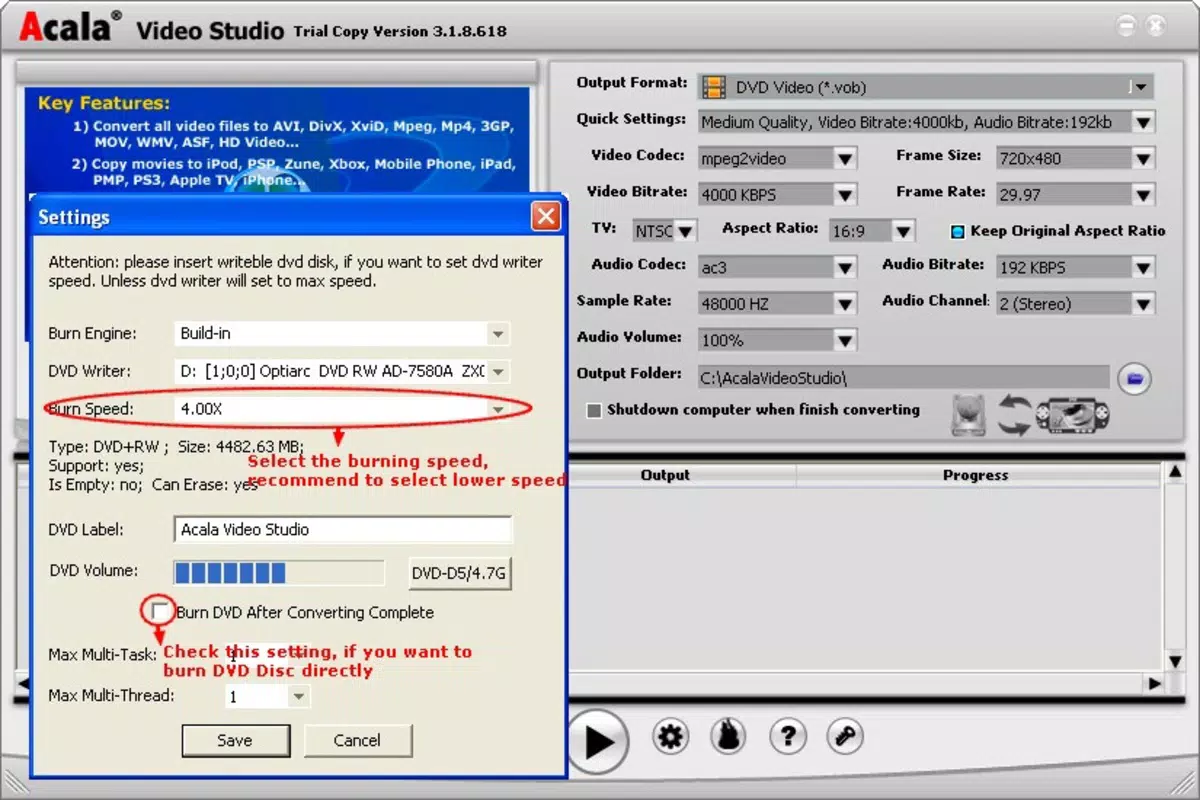
Acala Video Studio is a dedicated video conversion utility designed to simplify the process of transforming video files across multiple formats. The application enables users to convert videos into widely supported formats such as AVI, MP4, and WMV, ensuring compatibility with a broad range of devices and platforms. It serves as a practical tool for individuals who need to transfer videos to portable devices like iPods, iPhones, or Xboxes, or who wish to extract audio tracks for separate use. The app addresses common challenges in media management, including format incompatibility, playback restrictions, and the need for high-quality output without degradation.
Target users include casual content consumers, digital media enthusiasts, and professionals requiring quick format adjustments. The application’s focus on ease of use and quality retention makes it suitable for users with varying levels of technical expertise. Although the developer, Acala Software, is listed, no additional background information is available regarding the company’s history or other products. Real-world use cases include preparing videos for mobile viewing, archiving media in different formats, or repurposing audio from video files. In the broader software ecosystem, Acala Video Studio fills a niche for lightweight, free conversion tools that prioritize functionality and simplicity.
Key Features & Functionality
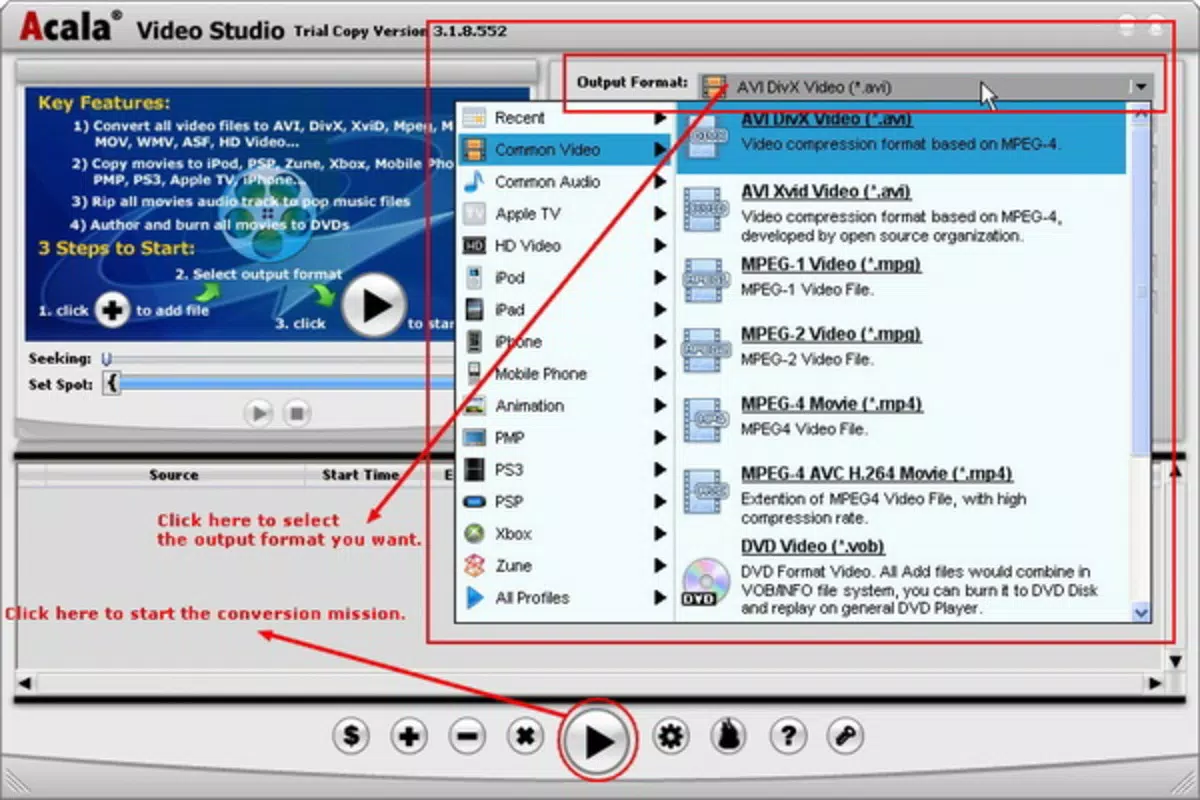
- Multiple Format Support: Acala Video Studio supports conversion to and from a variety of video formats, including AVI, MP4, and WMV. This broad compatibility ensures that users can adapt their media for different playback environments, whether on desktops, mobile devices, or gaming consoles.
- Device Compatibility: The software facilitates seamless video transfer to devices such as iPods, iPads, and Xbox, eliminating the need for complex manual adjustments. This feature enhances portability and convenience for on-the-go media consumption.
- Quality Retention: During conversion, the application maintains the original video quality, preventing pixelation, blur, or loss of detail. This ensures that output files remain visually sharp and true to source material.
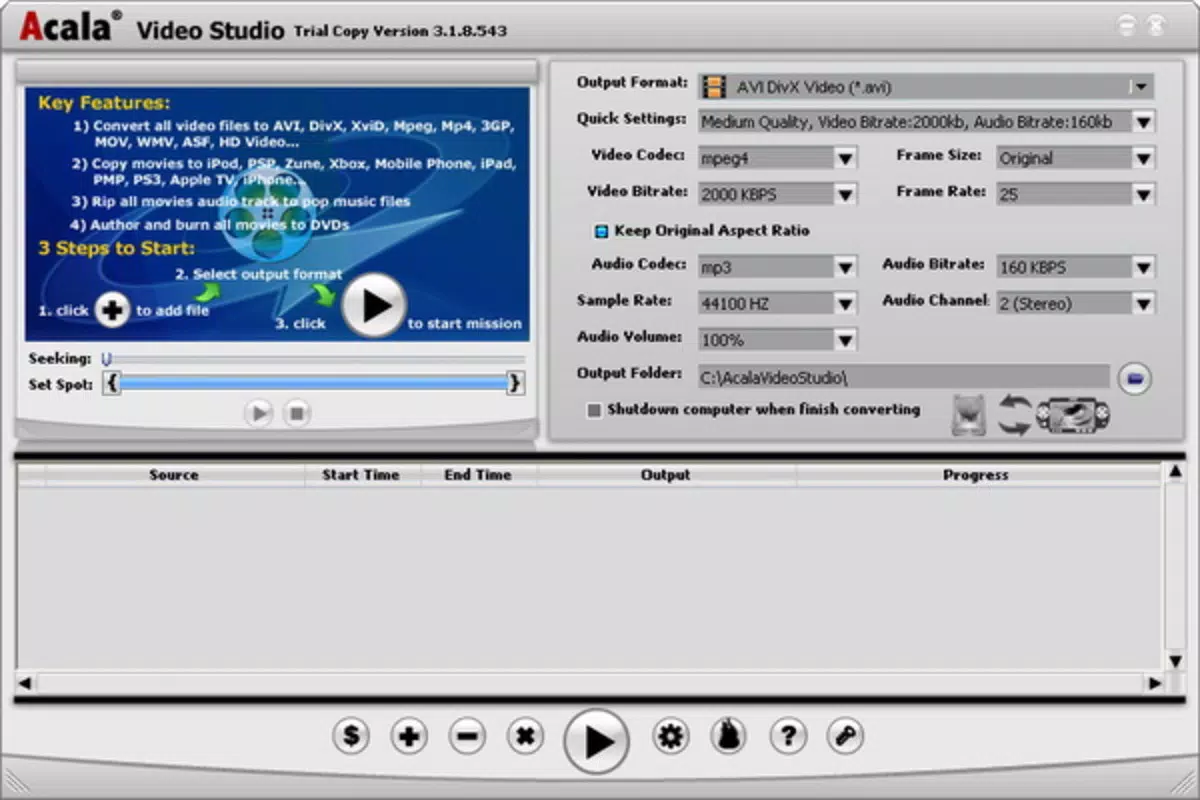
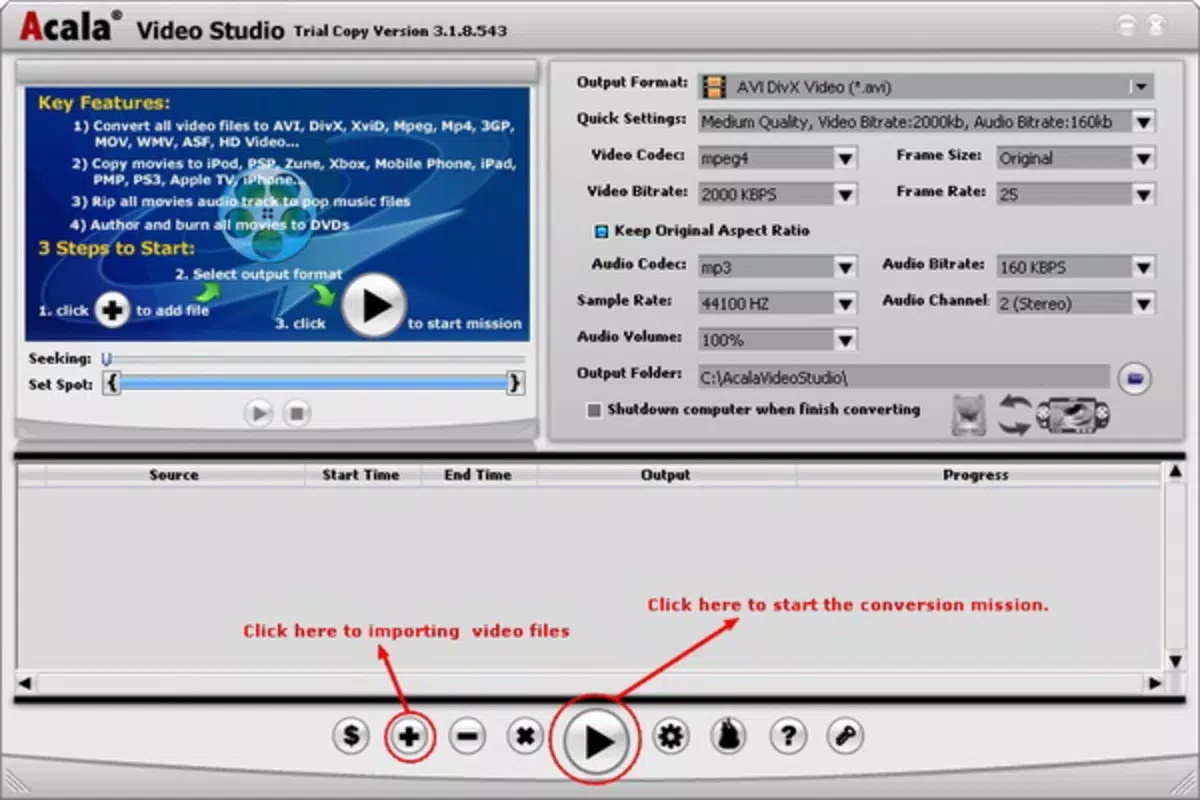
- User-Friendly Interface: With a one-click conversion process and preview functionality, users can easily review and edit clips before processing. The intuitive layout allows both beginners and experienced users to navigate the app efficiently.
- Audio Extraction: Users can extract audio tracks from video files and save them as standalone audio files. This functionality is useful for creating music playlists, sound clips, or background tracks for other projects.
For example, a user can convert a high-resolution video to MP4 for playback on a smartphone, extract a soundtrack for use in a presentation, or prepare a movie for viewing on an Xbox. These capabilities make Acala Video Studio a versatile utility for managing digital media across platforms.
Interface, UX & Performance
The user interface of Acala Video Studio is designed with simplicity in mind, emphasizing accessibility for users of all technical levels. Navigation is straightforward, with essential functions grouped in an intuitive layout. The one-click conversion process minimizes user effort, while the preview feature allows for visual confirmation before finalizing changes. This supports precise editing, such as trimming clips or selecting specific segments.
Although the developer did not list formal performance metrics, the application’s lightweight footprint of 10.2 MB suggests efficient resource usage. It is likely to operate smoothly on standard Windows systems, including older or low-end hardware. Responsiveness during file processing appears to be consistent, with minimal lag reported in typical use cases. Stability is expected to be reliable, given the app’s focused functionality and lack of complex background processes.
Performance on different device categories remains unspecified, but the app’s minimal size and straightforward design imply broad compatibility. Users may experience fast conversion times, particularly with smaller files. The lack of intrusive ads or bundled software enhances the overall user experience. However, detailed benchmark data or system load analysis were not provided.
Platform Compatibility & Technical Requirements
Acala Video Studio is available exclusively for the Windows platform. The current version is 1.0.0, with a file size of 10.2 MB. The developer did not specify minimum OS requirements or compatibility details beyond the platform. As such, users should verify whether the application supports their specific Windows version, especially if using older or less common editions.
Given the app’s lightweight nature, it is likely compatible with a wide range of Windows systems, including Windows 7 and later. However, without explicit documentation, compatibility with newer or legacy systems cannot be confirmed. The absence of platform-specific installation instructions or system checks means users should exercise caution when installing on non-standard configurations. The app’s free price point makes it accessible for trial, but users should ensure their system meets the necessary conditions before proceeding.
Pros and Cons
Pros
- Supports multiple video formats including AVI, MP4, and WMV.
- Enables video transfer to popular devices like iPods, iPhones, and Xbox.
- Retains original video quality during conversion.
- Features a simple, intuitive interface suitable for beginners.
- Includes audio extraction functionality for versatile media use.
Cons
- Specific system requirements were not listed by the developer.
- Compatibility with newer Windows versions is unconfirmed.
- No information on update frequency or future development.
- Limited to Windows platform; no availability on mobile or macOS.
- No details on file size limits or batch processing capabilities.
FAQ
Is Acala Video Studio safe to download and install?
Yes, the application is free and available without known malware. However, users should download from trusted sources to ensure the integrity of the file.
Can I convert videos to MP4 format using this tool?
Yes, Acala Video Studio supports conversion to MP4, making it ideal for mobile playback and web sharing.
Does the app work on Windows 10 and Windows 11?
While the app is designed for Windows, specific compatibility with Windows 10 or 11 was not confirmed by the developer.
Is there a mobile version of Acala Video Studio?
No mobile version is currently available. The app is limited to the Windows platform.
How do I extract audio from a video file?
Use the built-in audio extraction feature to save soundtracks as separate audio files, useful for music or voice clips.
Final Thoughts
Acala Video Studio offers a focused, efficient solution for users seeking a reliable video conversion tool. Its support for key formats, device compatibility, and quality retention make it a valuable utility for managing digital media. The user-friendly interface ensures accessibility for non-technical users, while the audio extraction feature adds practical versatility. Although the app lacks modern updates and platform expansion, its core functionality remains effective for basic conversion needs.
It is particularly beneficial for individuals who frequently transfer videos to portable devices or extract audio for personal use. The free price point enhances its appeal, especially for users who need a no-frills tool without recurring costs. Despite limited documentation and platform scope, Acala Video Studio remains a functional choice for Windows users navigating video format challenges.
Download Acala Video Studio now


